top of page

Steps to Transfer WA-Filter Plan
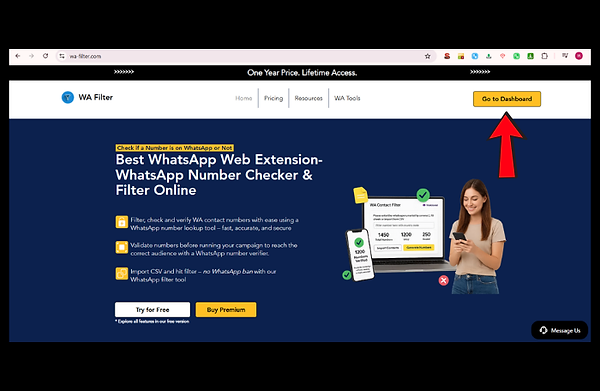
Step 1: Open the Website and Go to Dashboard
Go to the official website and click the Go to Dashboard button in the top right corner.
.png)
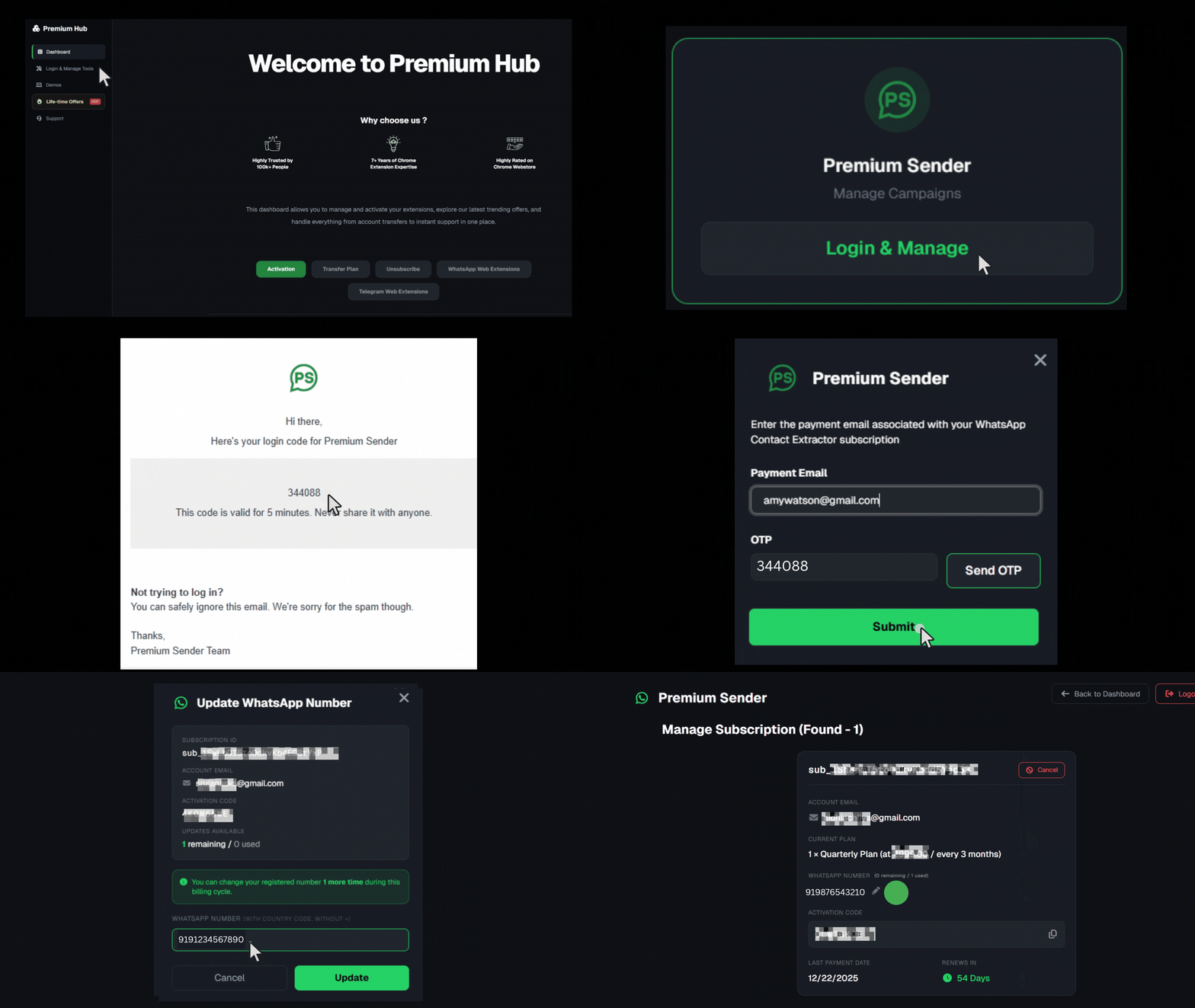
Step 2: Go to Login & Manage
Click on the Login & Manage tab within the dashboard. Locate your extension card and click "Login & Manage." Enter your payment email and click "Send OTP."
.png)
.png)

Step 3: Copy Code
In the subscription panel, find the Activation Code and click the copy icon.


Step 4: Change Number
Find the WhatsApp Number section and click on the Pen Icon next to your current number. Enter the new WhatsApp number you want to use and save the changes. The plan is now transferred instantly.


.png)

.png)

Frequently asked questions
No FAQs yet
This category doesn't have any FAQs at the moment. Check back later or explore other categories.
bottom of page